
If you wish to test a variety of different menus and background images, please download the Sample_G4DOS_Menus.zip file.
‘Getting started with grub4dos‘ – Latest eBook PDF for 2020: Complete grub4dos guide with exercises and full command reference.
INSTRUCTIONS
1. Run RMPrepUSB
2. Insert an empty flash drive
3. Set up options 1-4 as you wish (leave 5 unticked)
4. Click 6 Prepare Drive to format the flash drive
5. Click the Install grub4dos button – click Yes for the MBR option and hit Enter when prompted
6. Extract the files from the Sample_G4DOS_Menus.zip file and place them on the USB flash drive
7. To test the menu system under QEMU, press F11 in RMPrepUSB, answer 0 to the Virtual hard disk size question and accept the default for the memory size.
Note: Apart from the RoyalPalaceMadrid bitmap in menu 7 which is my photo, the other pictures may not be copyright free as their origin is unknown!
You should now see a menu similar to the one below:
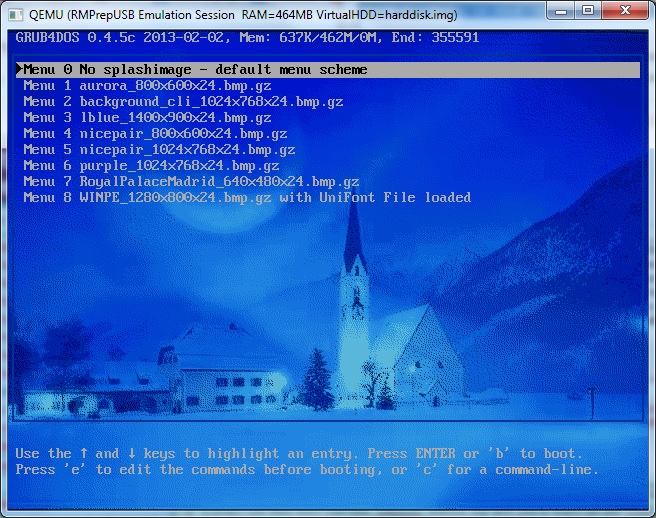
Now choose one of the menu entries – e.g.
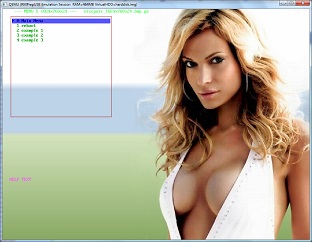
Menu 5 (reduced to fit this page)
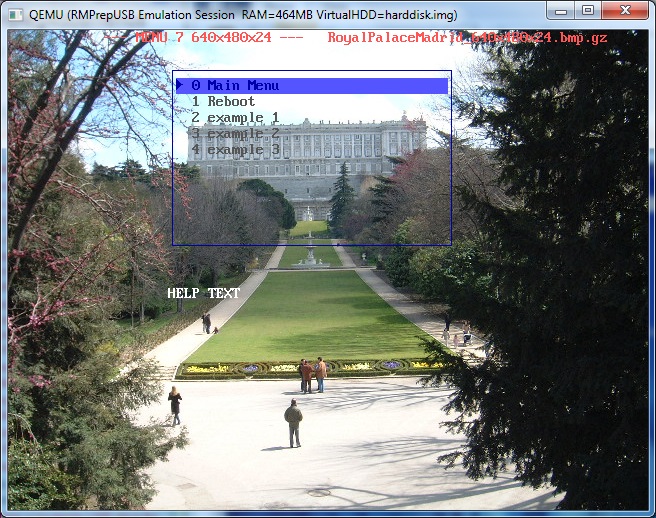
Menu 7
The menus 0-8 are in the \grub folder.
There is also a special patchg4d.g4b batch file which will patch your USB Flash drive and suppress the many debug messages that grub4dos seems to output. If you want to use this, uncomment the line from the \grub\allmenus.lst file.
