
Table of Contents
It is possible to PXE boot over the internet using iPXE. Here is how to add this useful tool to your grub4dos multiboot pen.
1. Download the ipxe.iso from here and save it directly to your grub4dos USB boot drive (e.g. /ISO folder).
2. Add the menu option below to your menu.lst file:
Tip: You can also just add the ISO file to your Easy2Boot USB drive or extract the ipxe.krn file from the ISO file and simply copy it to the \_ISO\MAINMENU or any other E2B menu folder.
You can use iPXE to boot iSCSI, AoE, TFTP, VLAN and via other protocols too, but here is how to test the HTTP bit.
You might also like to try the netboot.xyz ISO. The netboot menu contains many linux (Live and Install) and other payloads which will automatically download and run from the netboot server (see website for full list).
Other Tutorials you might like:
76 – Quickly setup PXE booting to install any Windows OS!
45 – How to PXE boot grub4dos/WinPE from a Windows 7 PC
80 – How to retrieve files from a computer without booting it to an OS
TESTING
To test it, you can use RMPrepUSB and test it using QEMU straight away (it seems to work with NAT!). You can also add the ISO to an Easy2Boot multiboot USB drive.
Press F11 in RMPrepUSB to boot from the USB drive and then select the grub4dos ipxe menu you have just added.
When you see the ‘Press Ctrl-B’ prompt (first one or 2nd one), press CTRL-B quickly to stop it trying to boot from another source.
title ipxe
map /ISO/ipxe.iso (0xff) || map --mem /ISO/ipxe.iso (0xff)
map --hook
root (0xff)
chainloader (0xff)
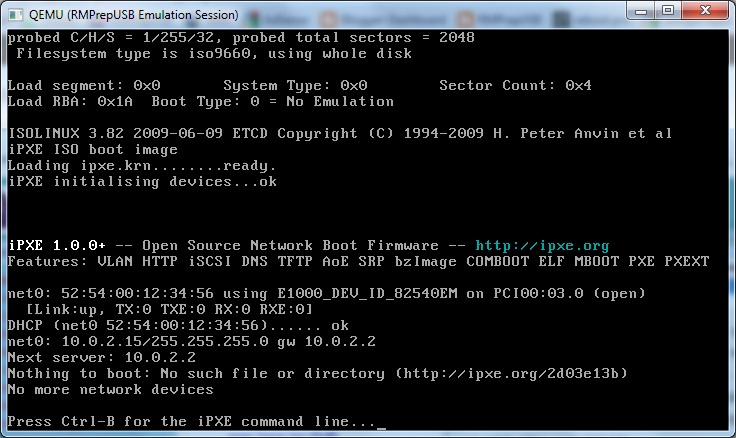
Now type:
dhcp
chain http://boot.ipxe.org/demo/boot.php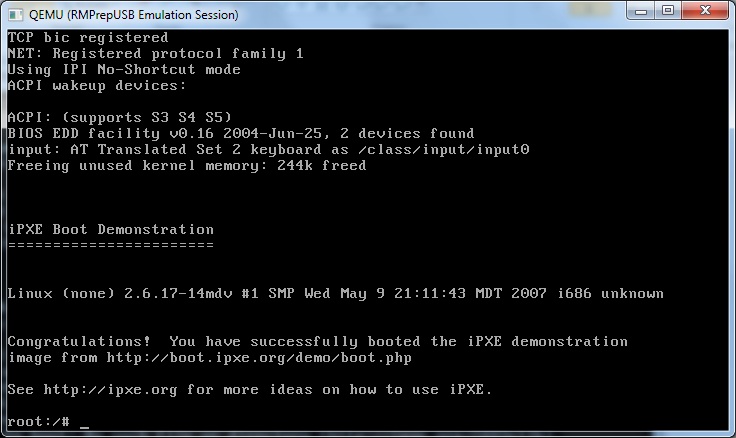
You have now successfully booted to linux over the internet!
Now try it by booting on a real system using exactly the same two commands. You will need an ethernet connection and a router.
LOOK – NO WIRES!
iPXE does have some WiFi support too!. Unplug the Ethernet cable and try it on a netbook or notebook using the following commands after you hit Ctrl-B:
iwstat – displays status of wireless cards – find your network number – e.g. net0 (if nothing is listed then the correct drivers have not been loaded and you can go no further!)
iwlist – lists network SSIDs and cryptography (WEP/WPA) level
set net0/ssid myssid – use your wireless routers SSID as listed by the iwlist command previously
set net0/key s3cr3t – use your wireless routers WEP/WPA key instead of s3cr3t
dhcp net0 – start dhcp on net0
route – check IP address provided by your dhcp server
chain http://boot.ipxe.org/demo/boot.php – load linux across the internet and boot it
help will list available commands or there is a command reference here.
NETBOOT.ME
If you want to try booting a whole set of different OS’s across the internet, try netboot.me at http://www.netboot.me/. Download the netbootme.iso file and add it to your grub4dos menu:
title netbootme.iso\nnetboot.me http boot iso
map /netbootme.iso (0xff)
map --hook
chainloader (0xff)
Fully automated, no typing required, just boots straight to the menu shown below, works in QEMU too (press F11 in RMPrepUSB to test your USB drive).
netboot.me has no WiFi wireless support (no iwstat or iwlist commands) so you need an Ethernet cable.
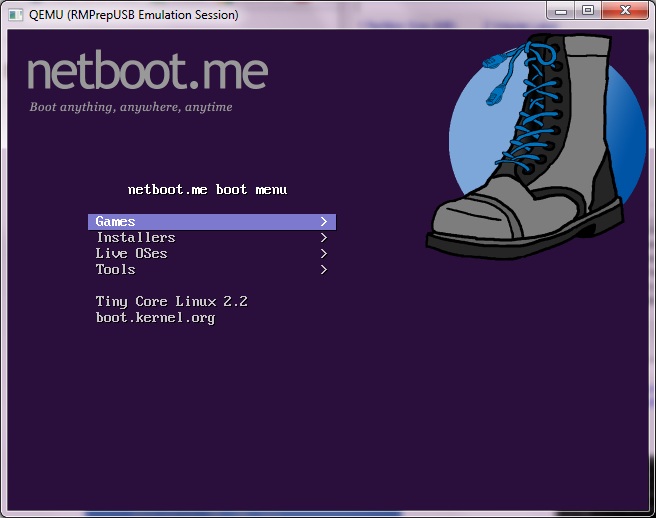
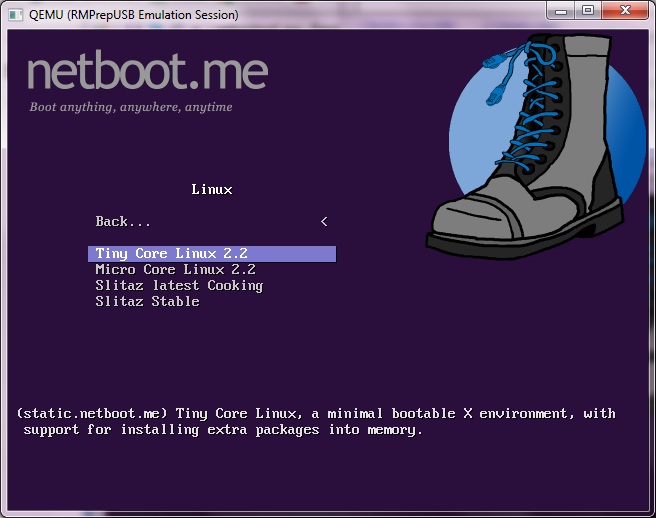
Menu options:
Game
- NetHack
Installers
- BSD – FreeBSD (various) and MirOS bsd4me
- Linux – CentOS 5, Debian Lenny 5, Fedora, OpenSUSE 11.1, Ubuntu Jaunty, Karmic 9.10, Lucid
Live OS’s
- BSD, Linux, Tiny Core Linux 2.2, Micro Core, Slitaz cooking&Stable, MirOS
Tools
- Memtest86+,Memtest86,Hardware Diagnostic Tool 0.3.4, Gparted Live0.4.5-2, Parted Magic 4.5, Centos 5 Rescue Mode, Karmic x86 Rescue, Smart Boot Manager
Why not create your own version. You can do this by following the instructions here and then try booting it.
BOOT.KERNEL.ORG
See also http://boot.kernel.org/ (site has had problems and may not have iPXE/gPXE downloads yet) and the mirror site http://boot.rit.edu/index.html. (does have gpxe.iso).
title BootKernel.Org BKO gpxe.iso\nBKO boot
map /gpxe.iso (0xff)
map --hook
chainloader (0xff)
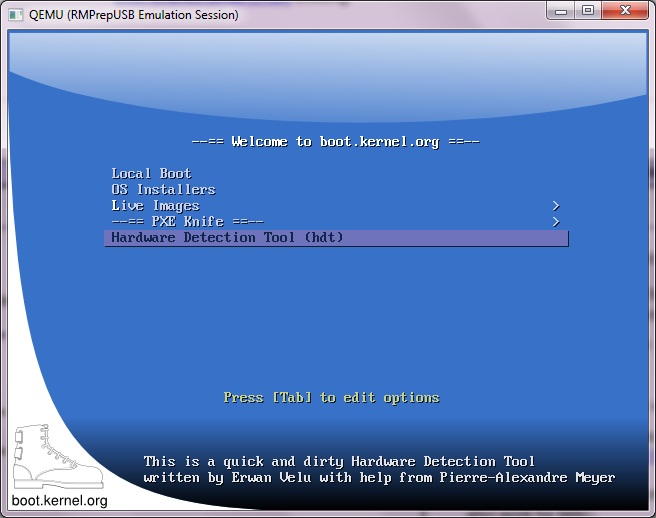
Typical menu options:
Linux Distributions
- Debian : Debian live
- Ubuntu : 9.04
- Damm Small Linux : Lightweight linux distribution with GUI.
- Knoppix : Knoppix 5.0.1 English.
- Fedora 11 Live CD : Currently only single user mode is working. (Working on complete live CD)
Tools
- Hard disk utilities
- NTFS utilities
- Boot Managers
There is also a HowTo article here.
