
ADD MEMTEST86+ MEMORY TEST PROGRAM TO YOUR GRUB4DOS MENU.LST FILE
Memtest86+ is a new and enhanced memory test application based on a version of memtest86 – see here for details. As well as testing memory, it can also identify memory modules (DIMMS) by reading the SPD EEROM in each module and display other chipset information. You can include this test into any grub4dos menu.lst file as an extra menu option.
Memtest86+ claims that it is one of the few memory tests that will test memory above 4GB, however when I used Memtest86+ to test a 6GB system with a suspected bad DIMM, it passed (ran for over 10 minutes without error) and appeared to be testing all 6GB of RAM. I then tested the same system by booting from a 64-bit Windows 7 installation DVD and running the Microsoft memory test – result: it found the problem at the 5GB position within 2 minutes!
My personal preference for memory testing (based on over 30 years experience at a factory building and testing over 1 million PCs and notebooks) is:
1. For memory below 4GB, I use Gregoriev’s DOS based MemTest (see Tutorial 75)
2. For memory above 4GB, I use the MS diagnostic memory test by booting from the Microsoft Windows 7 64-bit install DVD.
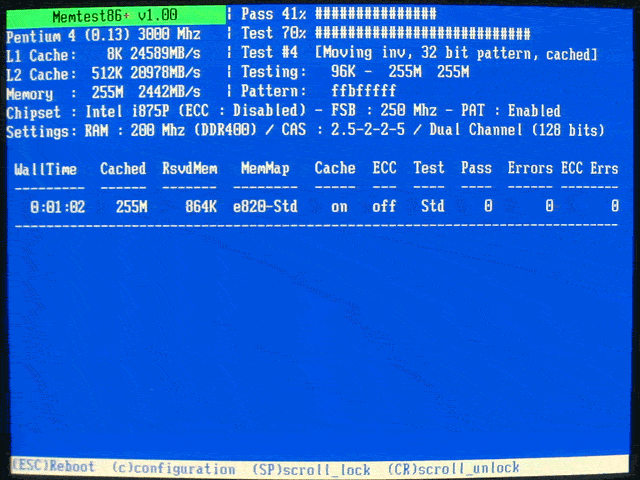
You can download the binary application as an ISO file or as pre-compiled binary. However, to use the pre-compiled binary you will need to use the kernel command in grub4dos but on some PCs, this option does not work because the kernel command loads the binary file into an area of memory which is limited in size and so you will receive an ‘error 28: selected item cannot fit into memory’ message.
To avoid this issue, the following method is recommended:
- Download the Pre-compiled bootable ISO.zip file from here
- Use 7Zip or any other utility to open the ISO and extract the file memtest.img from the \boot folder
- Copy the memtest.img file to your USB drive
Create using Notepad the file menu.lst on your USB drive and add the following lines:
title memtest86+ v4.10
find --set-root /memtest.img
map /memtest.img (fd0)
map --hook
chainloader (fd0)+1
rootnoverify (fd0)
map --floppies=1
The drive is now ready to test.
