
Table of Contents
INTRODUCTION
Porteus is fast boot linux which can boot from a multiboot USB drive straight from an ISO file with persistence. This was suggested as a ‘fast booting linux’ version by futahorse on a reboot.pro here.
Porteus is a complete linux operating system that is optimized to run from CD, USB flash drive, hard drive, or other bootable storage media. It’s small (under 300Mb) and insanely fast which allows you to start up and get online while most other operating systems are left spitting dust. Porteus comes in both 32 & 64 bit and aims to keep on the bleeding edge. It also supports several different languages and the user forum has language sections. Join the community now!
Note: Porteus-Kiosk does not support the ‘from=’ linux kernel cheatcode, so you must use the partnew boot technique.Unsupported embed
Here is how to create a Multiboot (Easy2Boot) USB drive (Flash or Hard Disk) using the 32-bit version of Porteus
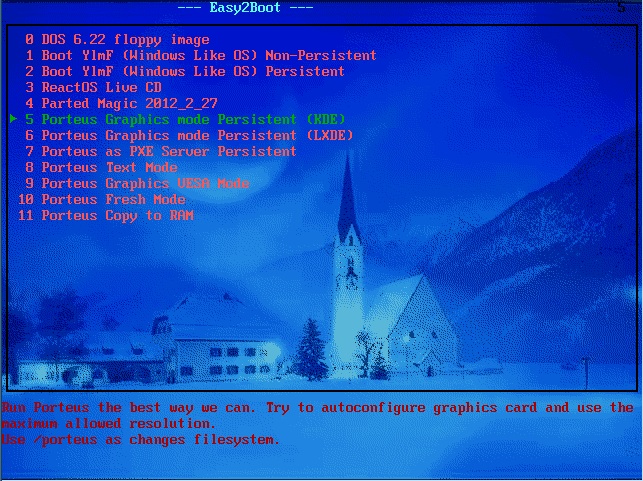
MAKE AN EASY2BOOT MULTIBOOT USB DRIVE
1. Make an Easy2Boot USB drive by following Tutorial #72a
2. Select and quickly build and download an ISO file from http://www.porteus.org/ -Some ready-made ISOs are here. If you want to try it with persistence, try Porteus-KDE4-v2.1-x86_64.iso or the LXDE/XFCE/RazorQT versions.
3. Rename the ISO file to Porteus.iso and copy it to the \_ISO\LINUX\MNU folder on your Easy2Boot USB drive (or \_ISO\MAINMENU\MNU or any 3rd level folder)
4. Copy the Porteus-generic-persistent.mnu file to the same folder – the .mnu file is in the \_ISO\docs\Sample mnu files folder inside the Easy2Boot download.
5. Run RMPrepUSB and select the Easy2Boot USB drive
6. Click on the Create Ext2 FS button and specify a volume name and file name of porteus and a filesize of whatever you desire (e.g. 300MB) – the size is up to you and will depend on how many files you may want to add to it once you have booted. Note that the filename porteus must be all lowercase letters.
That’s it – now test it by booting from a real system (or use the RMPrepUSB QEMU F11 button or VirtualBox or some other emulator).
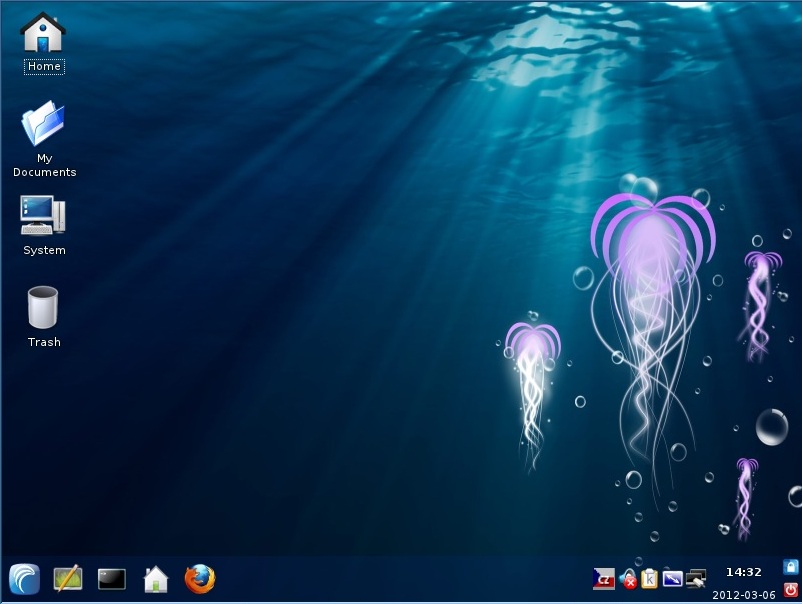
UEFI-BOOTING WITH PERSISTENCE
Porteus uses rEFInd for UEFI-booting.
1. Convert the ISO file to a FAT32 .imgPTN file. Increase the suggested size to allow for a persistence file (e.g. add 300 MB extra).
2. Switch to the .imgPTN file
3. Edit the \EFI\BOOT\refind.conf file as below:
- menuentry “Porteus GUI mode” {
- volume KERNELS
- icon EFI/BOOT/icons/os_porteus.png
- loader boot/syslinux/vmlinuz
- initrd boot/syslinux/initrd.xz
- options “”
- submenuentry “Save changes” {
- add_options “changes=/porteus/porteussave.dat“
4. Edit the \boot\syslinux\porteus.cfg file as below for MBR booting:
LABEL GRAPHICAL
MENU LABEL Graphics mode
KERNEL vmlinuz
APPEND initrd=initrd.xz changes=/porteus/porteussave.dat
TEXT HELP
Run Porteus the best way we can.
Try to autoconfigure graphics
card and use the maximum
allowed resolution
ENDTEXT
5. Boot to Porteus and use the Systems – Porteus Save File Manager (password=toor) to create a \porteus\porteussave.dat file on the E2B USB drive. Set the size so that it uses all the free space available.
You may get some error messages on first boot but these can be ignored.
Tip: Use CTRL-S to pause the boot messages and CTRL-Q to resume, so you can see if the persistence file was accepted as valid or not.
Now you should be able to UEFI or MBR boot with persistence.
MENU.LST ENTRIES FOR GRUB4DOS MULTIBOOT (NOT EASY2BOOT)
Example grub4dos menu with from= ‘cheat codes’ for booting from an ISO file for Porteus, not Porteus-Kios (if you want to make your own grub4dos menu’s)
- #PORTEUS V1
- iftitle [if exist /Linux/Porteus-v1.1-i486.iso] Porteus Graphics mode Persistent (KDE)\nRun Porteus the best way we can. Try to autoconfigure graphics card and use the maximum allowed resolution.\nUse /porteus as changes filesystem.
- map /Linux/porteus-v1.1-i486.iso (0xff) || map –mem /Linux/porteus-v1.1-i486.iso (0xff)
- map –hook
- root (0xff)
- kernel /boot/vmlinuz from_iso=/Linux/Porteus-v1.1-i486.iso changes=LABEL:porteus/
- initrd /boot/initrd.xz
- # PORTEUS v2
- iftitle [if exist /Linux/Porteus-v2.0-i486.iso] Porteus v2.0 Graphics mode Persistent (KDE)\nRun Porteus the best way we can. Try to autoconfigure graphics card and use the maximum allowed resolution.\nUse /porteus as changes filesystem.
- map /Linux/porteus-v2.0-i486.iso (0xff) || map –mem /Linuxporteus-v2.0-i486.iso (0xff)
- map –hook
- root (0xff)
- kernel /boot/syslinux/vmlinuz from=/Linux/Porteus-v2.0-i486.iso changes=LABEL:porteus/
- initrd /boot/syslinux/initrd.xz
- If the 4th partition on your USB drive is unused, create an ext2 file called porteus with a volume label of porteus on the root of your USB drive using RMPrepUSB, and add the line:
- partnew (hd0,3) 0x0 /porteus
to the top of the menu.
You can add cheatcodes such as kmap=gb timezone=Europe/London copy2ram vga=ask or vga=791
For more cheatcodes see here – some are listed in /boot/docs/cheatcodes.txt in the ISO file
Use the latest grldr grub4dos file (2013 version or later – as used by RMPrepUSB)
